
Vibe-coding is not a crime
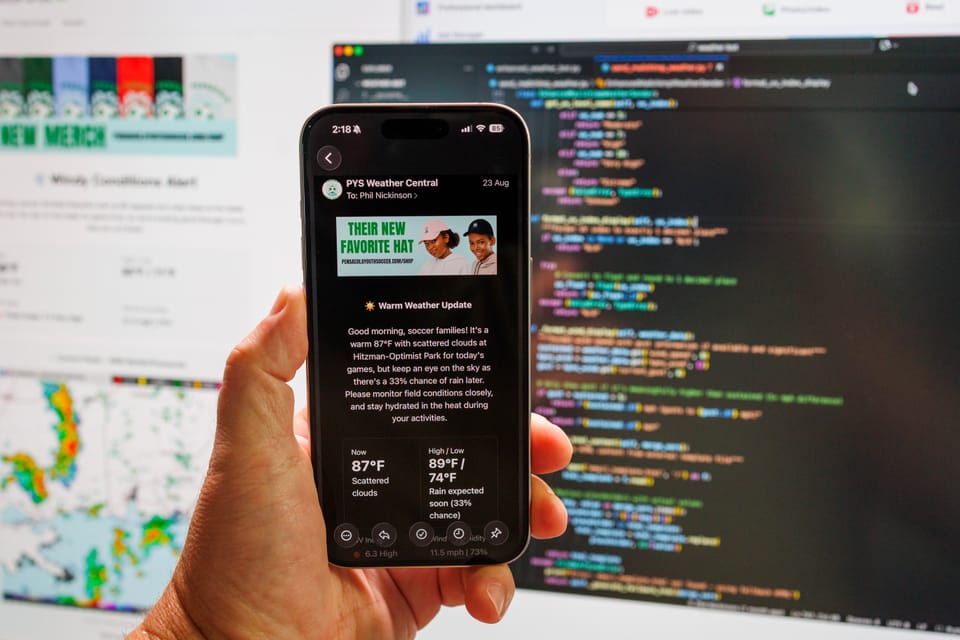
Everybody needs a hobby. In the summer of 2025 I decided I’d finally dip my toes into all this “AI” stuff.
I’d been hesitant. I’ve sat through too many Big Tech announcements in my career with too many promises of world-changing features and too little to show for it. The two letters that make up this newfangled technology — and I’m putting “AI” in quotes on purpose — don’t really mean anything. (But it’s sexier than saying “LLM” over and over, so I get it.)
Once upon a time I had delusions of learning to code. I even enrolled in a Java class in college. (I ran into the prof one night in a bar and he rightly asked what the hell I was doing in that class.) It’s not that I’m against code. I know enough about various bits and pieces to get myself in trouble, and actually manipulate things a tad. But I can’t generate anything from scratch.
So this was a fun opportunity. The question was what I might do with it.
First step: Pick an "AI" platform. There are a million variations, of course. That’s a curse and a blessing. Since I was really just getting my feet wet, I wanted to start with the consumer version of all the things. Or at least three of them: ChatGPT, Claude, and Gemini. They all basically do the same thing, right? (At least to my untrained brain, they do.)
Next step: Figure out something to do. So I started thinking about services I use that I knew have API documentation.
I’ve been volunteering with our local rec soccer league for years. And it hit me: What if we could give parents a heads up about the weather before they head to the fields on game days? There are a million weather APIs out there, so “we” — and “we” also needs to be in quotes, because I'm absolutely not doing any of this on my own — should be able to rig up something that works with our league content management system, and maybe even our email platform.
So now “we” have a plan. Weather data. TeamSnap. And Mailchimp.
One more thing: Hardware. I have a Raspberry Pi laying around running Pi-hole and a few other things. (Every good nerd should have at least one Raspberry Pi, and everyone should be running something like Pi-hole.) While there are plenty of cloud-based ways to run code, I wanted to keep this simple for now. And as close to free as I could get it.
Where to start ...
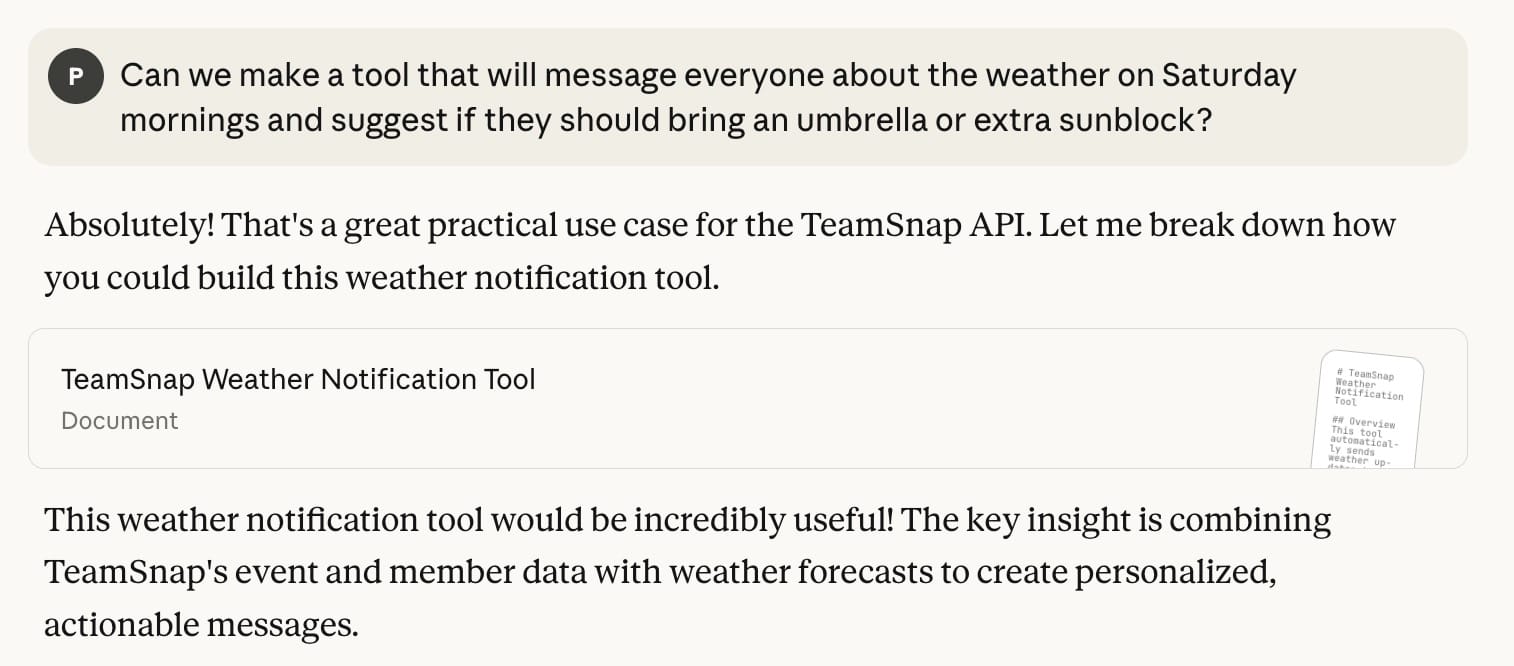
How to begin? To repeat: I have no idea how to start a project. So I fed my idea to one of the AIs — I forget why I went with Claude — and started following directions.
Can we make a tool that will message everyone about the weather on Saturday mornings and suggest if they should bring an umbrella or extra sunblock?
Claude replied in the sort of way that will be familiar to anyone who’s ever read Douglas Adams: “Absolutely! That’s a great practical use case for the TeamSnap API. Let me break down how you could build this weather notification tool.“
We’re off and running. TeamSnap Weatherbot was born.
Command line versus IDE
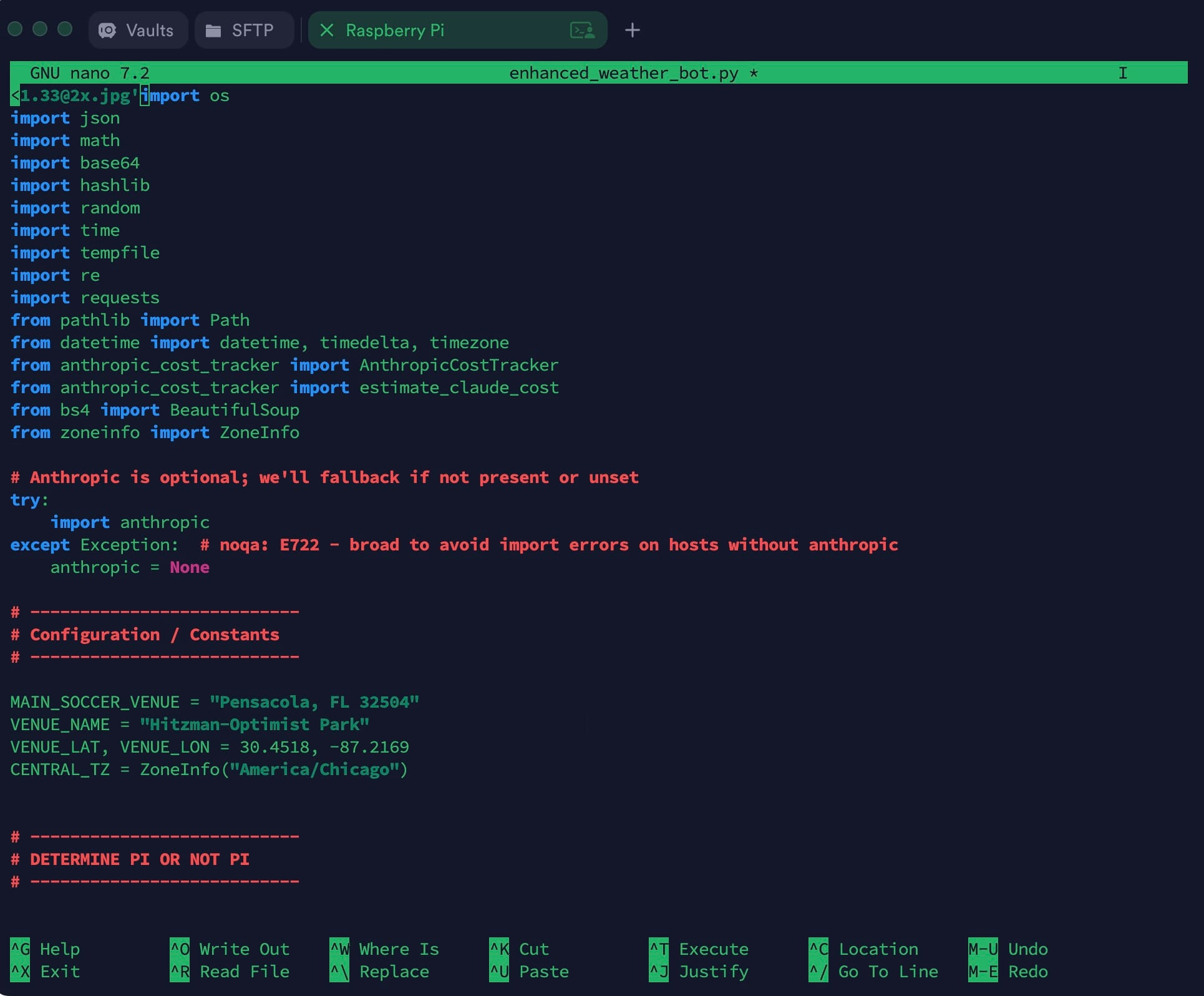
I am not a coder. I can’t say that enough. I've worked with enough programmers that I know their worth. But you also don’t run a website like Android Central for seven years without learning to fumble your way through Linux-based command line tools. (Thanks, Jerry.)
So “we” started this project directly on the Raspberry Pi. But copying and pasting from Claude directly into the Nano texts editor — if you’re old enough, think word processor from the mid-1980s — is awful. (And I can’t bring myself to learn Vim.) So at some point I had the great idea to complicate things even further and finally learn GitHub to manage all these files “we” were creating, and manipulate the actual code in the VS Code app.
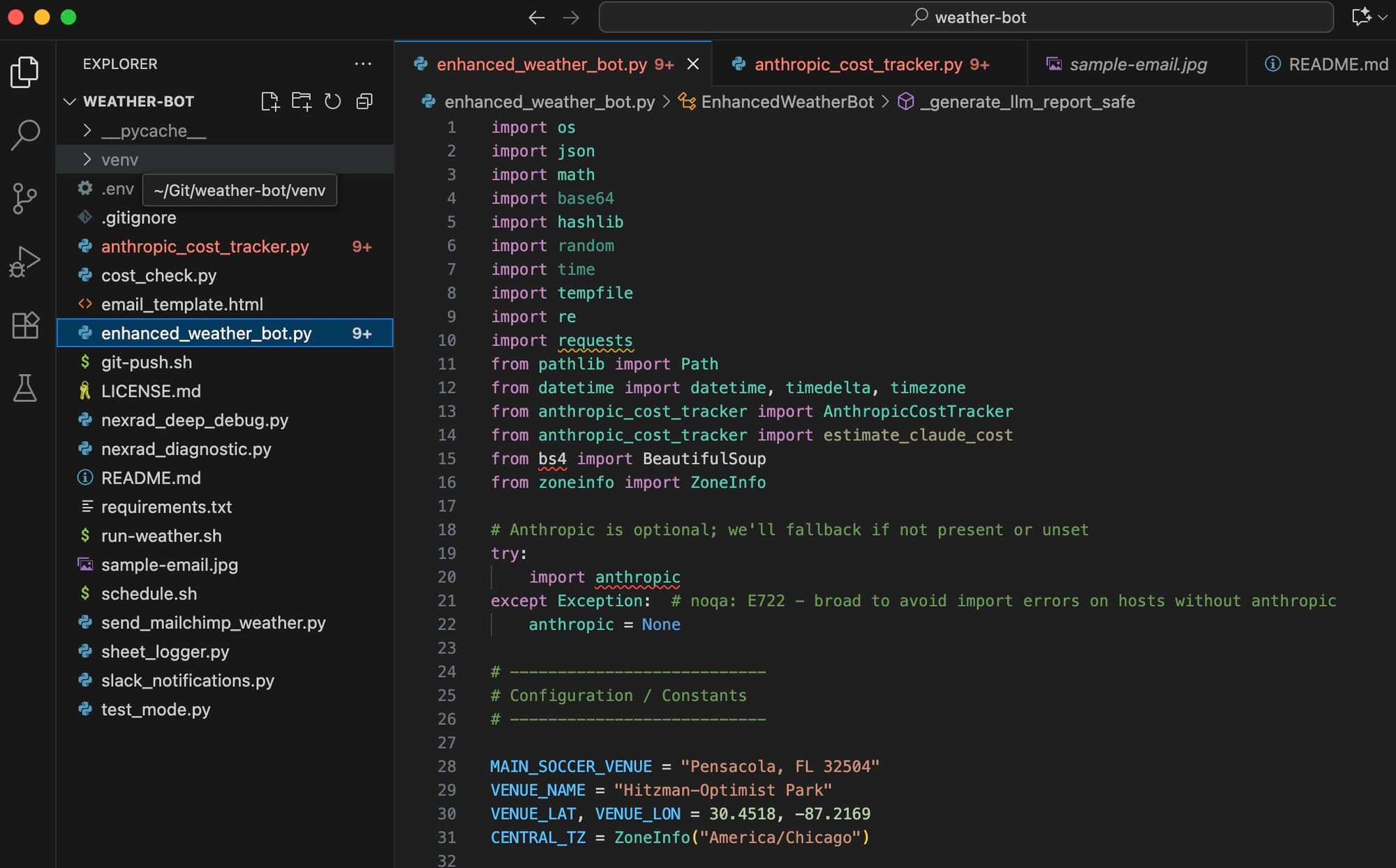
For the uninitiated, that means working with one set of files on my laptop, then pushing them to a GitHub repository, and in turn pulling them back down to the Raspberry Pi that lives about 4 feet from my computer. The principle is simple enough. But not being a coder, I definitely had a bit of a learning curve. Still do, really. But the really cool part is if something breaks badly, I can revert to a previous version. This was absolutely the right way to go about things. I’m glad I took the time to learn it.
Coding with Claude
There are a million ways to integrate the various “AI” products with things. You can tie them directly into an app like VS Code and let it go to town. Not being a coder, I opted to stick with the sort of conversational thing I had going with Claude.
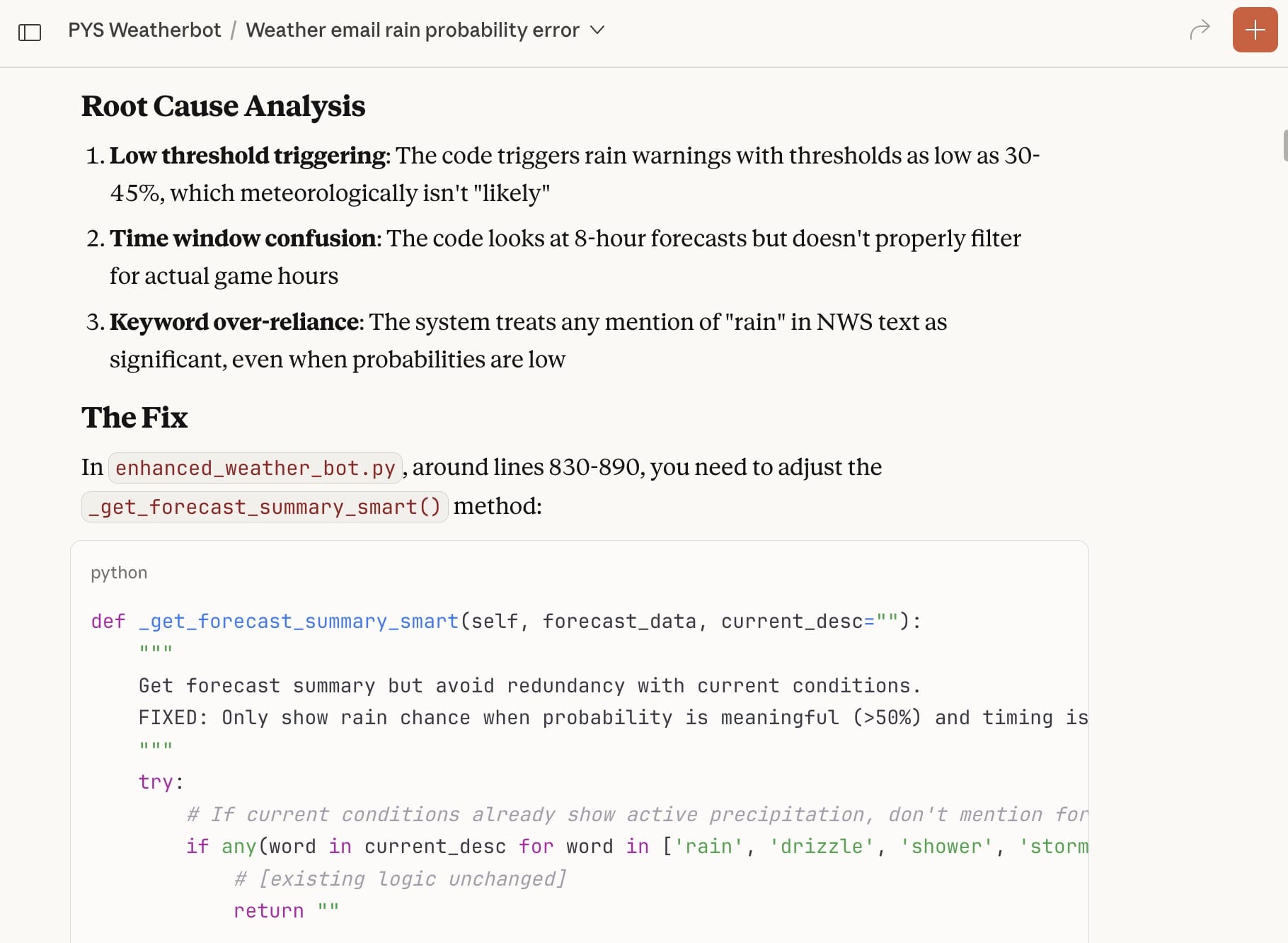
I’ll sum up the past couple of months thusly:
I tell Claude what I want to do. Claude gives me some code and tells me where to put it and how to run it. I do some testing and explain what works and what doesn’t, and what I want to do differently. When I find my patience, I'll occasionally ask it to explain why "we're" doing things the way "we" are. Because I really do want this to be more than a copy-and-paste, trial-and-error exercise.
All in all, it's been simple enough. But I also very quickly ran into a few problems.
First is that all of these platforms have usage limits, even when you’re paying them $20 a month. That only gets you so far. (Short version? There are “input” tokens — information you give the LLM — and “output” tokens for what it spits back out at you.) It’s easy to run into limits when your files get longer and longer and you have to repeatedly ask Claude to give you a complete file when you really just need to change one small thing in one line, but you keep screwing it up because you don’t know what you’re doing.
Did I mention I’m not a coder?
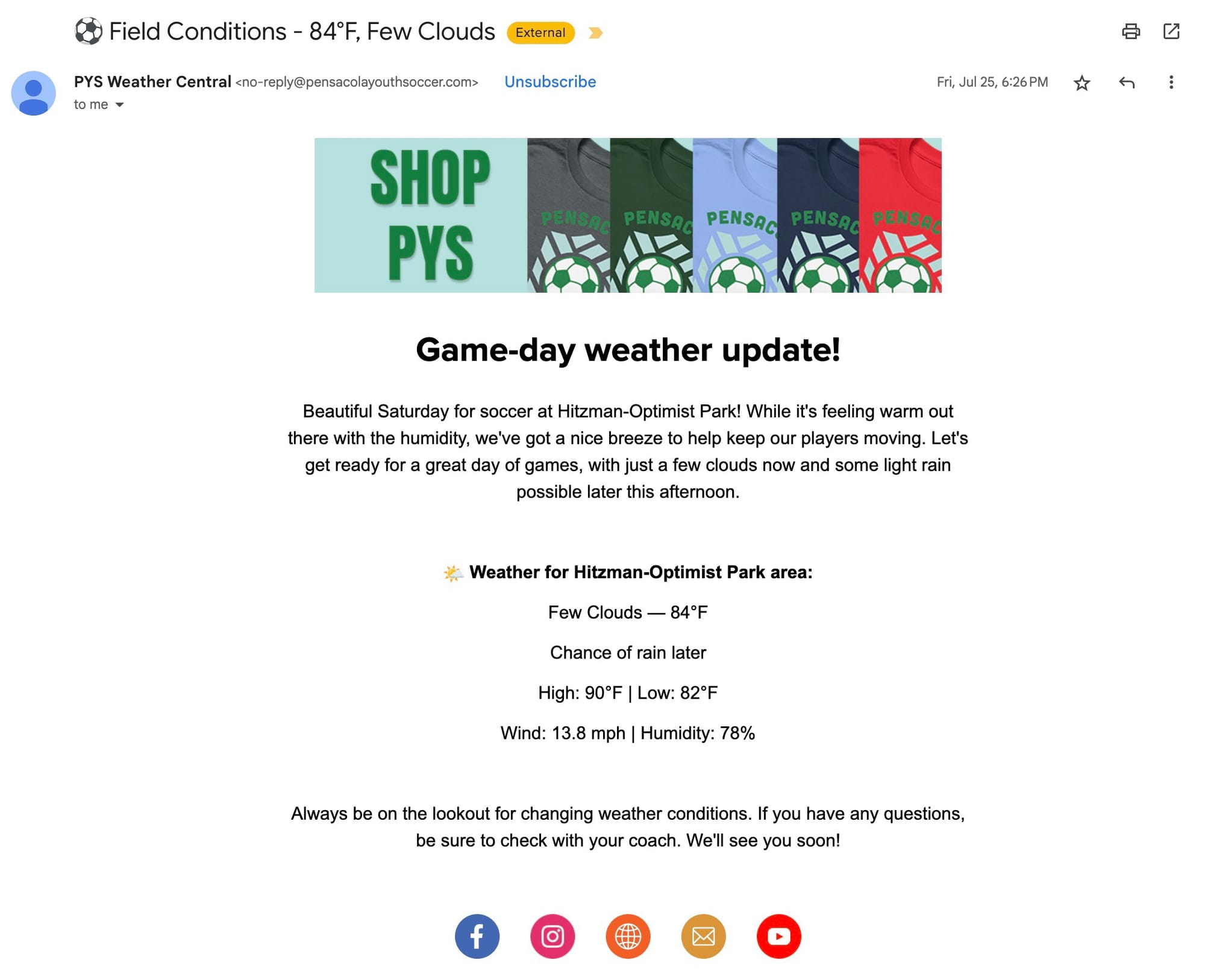
That’s not to say I haven’t learned a lot. I have. Once I slowed down and took the time to figure out indents and hierarchy and classes and functions and methods, things started to make a lot more sense. I still can’t start anything from scratch, but I’m OK with that. I kind of like that there’s a bit of a magical element to this. I “import” some things at the top of a file — I have no idea from where they’re importing, and I don’t necessarily care — and they work.
And that’s not to say things have been completely smooth. You’ve no doubt read of LLMs “hallucinating” and making things up. I’ve experienced that, too, in all sorts of ways. I’ll specifically tell it one thing — “Hey, we’re using this other thing now instead of that thing that didn’t work a dozen versions ago” — and it’ll completely forget about it 5 minutes later. (My guess is that it’s gettin context from the start of a conversation, and not from the most recent end.)
Oh, right. “Conversations” and context. That’s another big one. These LLMs have limited attention spans before they give up and tell you to start a new conversation. That’s extremely frustrating, and it usually happens when you’re just getting to something important. So you have to start a new “chat” and either feed it some context somehow — I went so far as to saving previous chats as text files and feeding them back to the LLM — or just hope that it picks up on what you’re doing. I tend to feed it current versions of files I’m working with, and then treating it like a toddler with very simple contextual instructions.
It’s also wrong on a fairly frequent basis. I’ve lost track of the number of times I’ve had to say “Are you sure that’s the thing you want me to change in that file? Because I think it might be this other thing in this other file.” And, sure enough, I was correct. Me. The non-coding human.
More fun with vibe coding. …
— Phil Nickinson (@nickinson.net) September 2, 2025 at 4:16 PM
[image or embed]
My favorite, though? When Claude tried to convince me I was wrong about why something wasn’t working because it was using 2025 as a year when it fact it was 2024. This was in August 2025, mind you.
I’ve begun replying to these LLM brain farts appropriately. “WTF.” “OMG.” “Dude.” I can only hope it feels bad for being so expensive and yet so dumb.
Meet Weatherbot
This turned into one of those projects that you care about a decent amount and can’t understand why those around you do not. You’ve learned some Python. You’ve learned some GitHub. You’ve learned to use VS Code to a very small degree. You’ve taken a mix of data from the National Weather Service and OpenWeather and some website scraping and turned it into something that’s actually kind of useful. You've learned the basics about AI prompting.
The end result? After jettisoning the idea of sending push alerts in the TeamSnap app for various reasons, we now have a hands-off system that ingests weather information and automatically sends an email on Sunday morning to parents whose kids are playing soccer this season. The end result is pretty clean, with a general look at what the weather’s supposed to be on Saturday mornings. (Or whatever day we want to send them.)
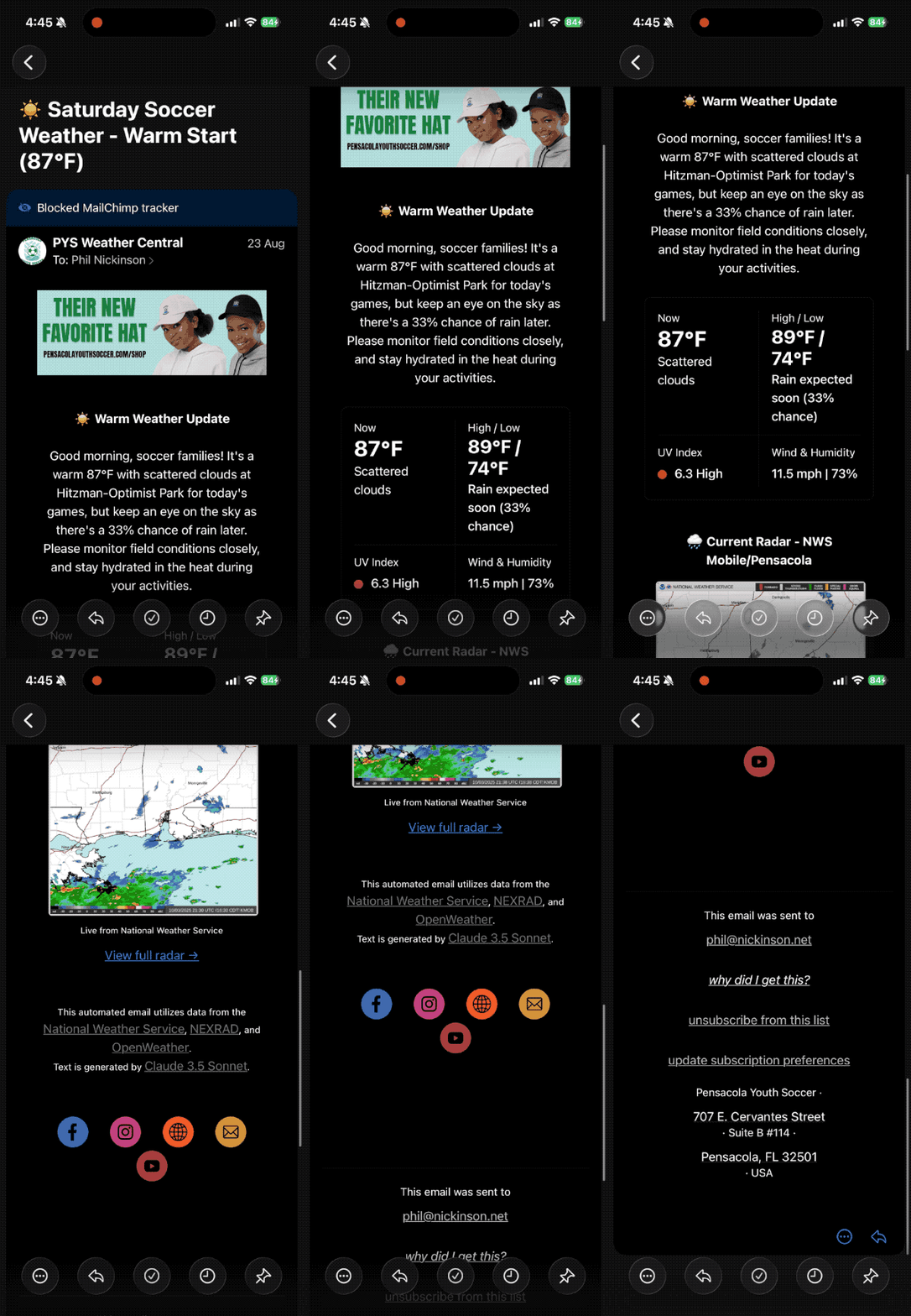
There’s a ton of logic in it. It knows what we do on what days, and that storms at 8 a.m. on a weekday aren’t as relevant as storms in the afternoon and early evening. It knows we’re done playing by mid-afternoon on Saturdays. There’s logic to prevent inadvertent emails (or push alerts, just in case) in the middle of the night, or when we’re not in season. Email subject lines are dynamic, depending on the weather. It knows that we don't care about what the UV is at 7:15 a.m., but that the peak UV would be helpful.
I built in some house ads for league merch — which means it’s also a pretty good sponsorship opportunity for a local business that wants to target soccer parents. (Hit me up.) The house ads are dynamic, too. If it’s raining? You’ll see an ad for rain gear. That was my idea. Not Claude’s.
The biggest fear about all this is in the automation. Can I really trust these LLMs to write an email to parents without saying something completely crazy? And consider just how many variables we’re incorporating. Day of the week. Time. And then the weather. And I really don't want to have to babysit it. I'd just like it to work.
In actuality, though, I'm still holding its hand.
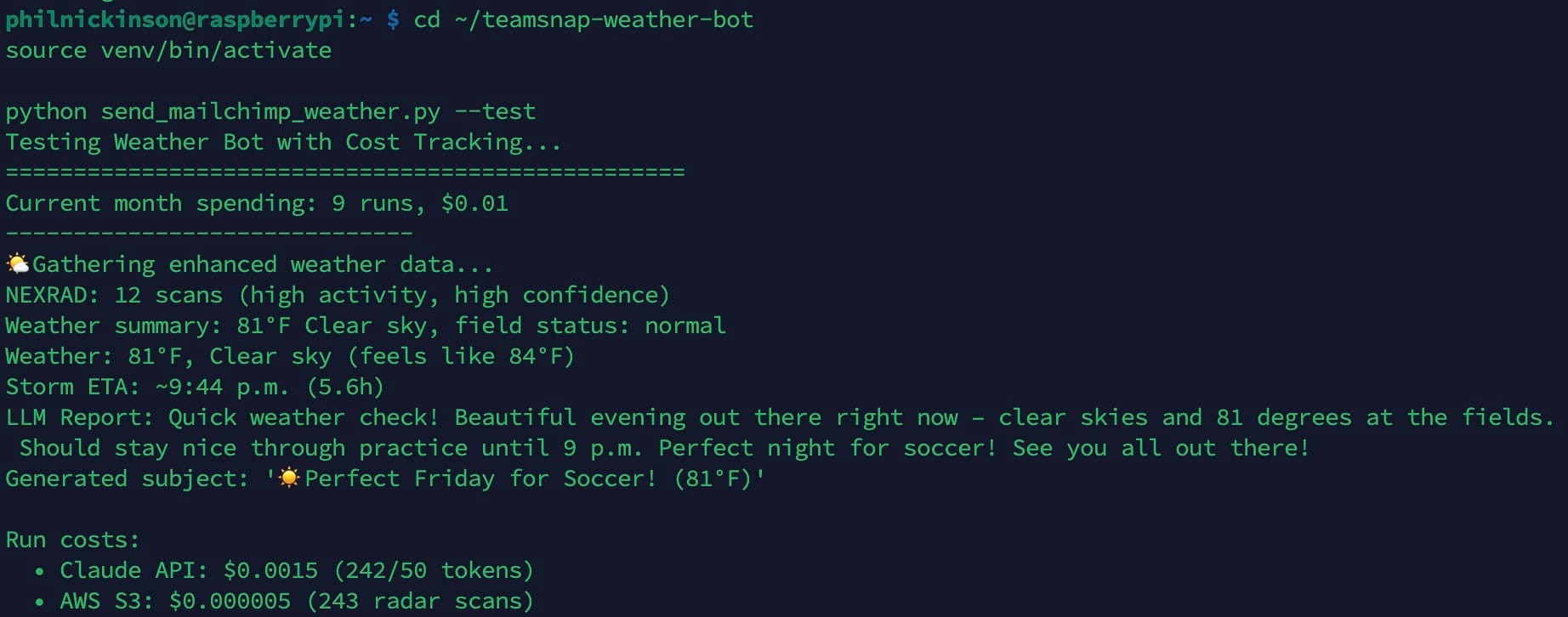
I ran thrice-daily tests for weeks and weeks. Sometimes it would try too hard to be helpful and would tell parents that we’d probably have to cancel practice because of field conditions — never mind that it has no idea what the fields are like. Or it would worry about storms that were predicted to hit in 5 or 6 hours, never mind that Florida storms disappear just as quickly as they pop up in the summer. I’m still running tests, but just first thing in the morning, to mirror the Saturday morning context. And I’m still tweaking the prompts.
But all in all it’s now in a really good place.
The price is right
And the best part? The cost. When you sign up for Claude API access — which “we” use to look at the weather data and turn it into a few sentences for the email — you get $20 in credit. I think it’s good for something like 9 months, so the credits will expire long before I actually spend them all.
That's because each Weatherbot run costs about three-tenths of 1 cent. Digesting all the weather data itself uses around 275 input tokens. Turning that into three or four sentences runs between 70 and 80 output tokens. Claude’s API usage cost is $3 per 1 million tokens and $15 per million output tokens. Calling in NEXRAD S3 radar data is even less expensive.
Do the math there. Or don’t. If we only send 20 emails a year, it’s basically free. The only thing I’ve spent is my time not being a coder, and the monthly fee for the Claude Pro consumer subscription. But that’s separate from the live project costs.
I’ve even rigged it up so that each Weatherbot run is logged in a Google Sheet. I wanted that mostly for the principle. If a cost can be tracked, it probably should be. If this were a project for a client, it’d be mandatory. But we’re spending so little with Weatherbot that it’s pretty moot.
What about the other AIs?
I haven’t completely forgotten about ChatGPT and Gemini. I use them on some other projects, just to kick the tires. Gemini is especially helpful when doing things with Google Apps Script, for example. With Weatherbot, though, I’ve used them as sanity checks. Once the code hit a pretty stable place, I fed the main files to Gemini and ChatGPT to see if they’d have any suggestions.
The results were interesting — mostly little details or edge-case stuff. And some of the suggestions could be ignored because the other LLMs were missing context for the project.
The big win was when Gemini suggested a redesign of the email template itself, leading to something more sophisticated but still simple.
Would Weatherbot have ended up where it is today if I’d used Gemini or ChatGPT? Maybe. I’ll even say probably.
Would Weatherbot have hit v1 faster if I actually was a coder? Also probably. But it’s not like there hasn’t been any human intervention here. A human has been — and still is — very much in the loop.
Even if he can’t code.